Tab Widgets v2.5 – Themes, Widget Appearance & a Google Calendar Month View
Tab Widgets v2.5 adds themes for the whole app, a per-widget Appearance panel, a Google Calendar widget with month, week and schedule views, a Week Agenda widget, history and open tabs in the Bookmarks dialog, Alarm and Time Zones widgets, and 24 languages.

Published
Tab Widgets v2.5 collects everything we've shipped since v2. Themes give the whole app a new look, Appearance restyles any single widget, the new Google Calendar widget shows your month or week, and your history and open tabs now sit next to your bookmarks. There are also new Alarm and Time Zones widgets, the app is translated into 24 languages, and you can search your dashboard and do sums from the address bar.
Themes: a new look for the whole app
Open Settings → Theme to pick a look for everything at once: the navbar, the dock, menus and the default look of your widgets, from their colours and blur to their corners, borders, shadows and font.
Click a theme to preview it on your own dashboard, with previous and next buttons to compare it with the others. Nothing changes until you click Use theme.
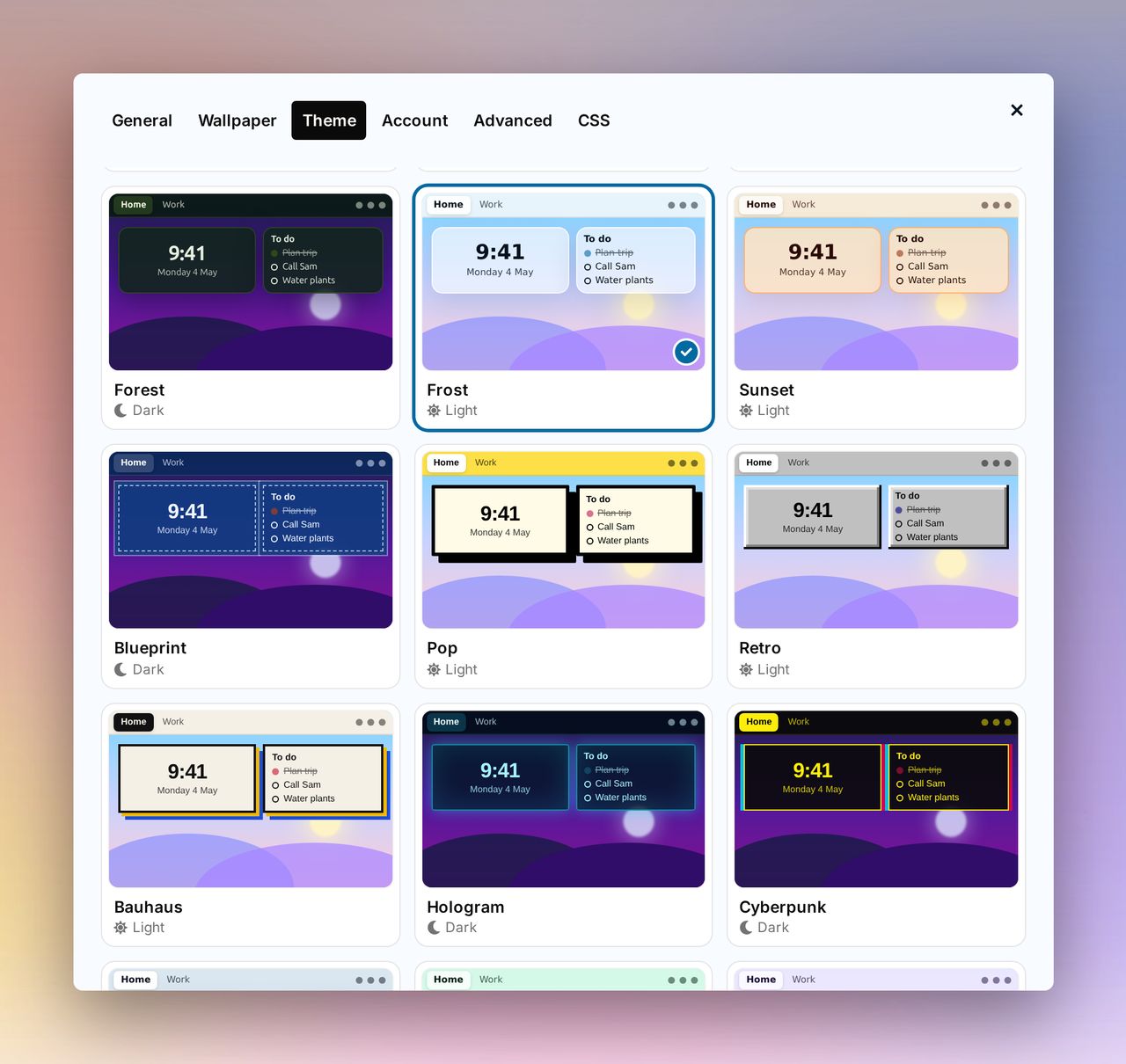
System, Light, Dark, Paper and Midnight are free, and Pro adds 37 more, from Glass, Frost and Mint to Terminal, DOS, Cyberpunk, Bauhaus and Retro. Free users can preview the Pro themes too.
Your own custom CSS still wins over the theme, and the CSS tab lists the theme's values by name so you can change just the ones you want.
Appearance: restyle any widget
Want one solid Quote, or a rounder Weather? Choose Appearance in a widget's menu or toolbar to change that widget's background, text colour, corners, border, shadow and blur, with a live preview as you go. Pick a colour or type its hex code. Pomodoro, Timer, Alarm, Ambient Sounds and Flip Clock let you change their own colours too.
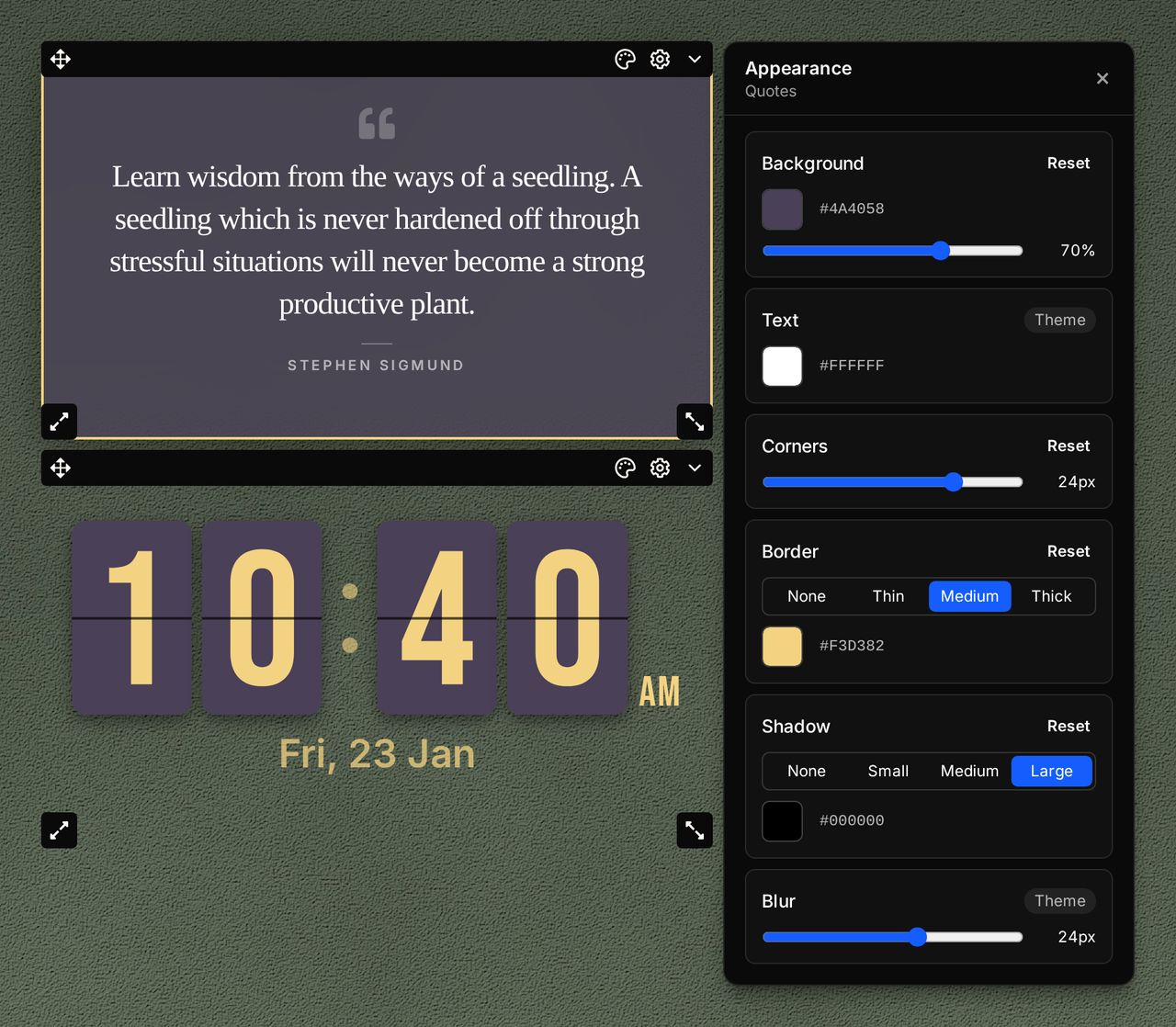
Anything you leave alone keeps following your theme, and the widget's look goes with it when you copy, paste, duplicate or sync it. Appearance is free for everyone.
Google Calendar: your month, week or schedule
The new Google Calendar widget shows your calendar as a month grid, a week of hours, or a schedule that lists your coming days' events with their times and places and keeps loading as you scroll. Step through months, weeks and days, or jump to any date, month or year from the header.
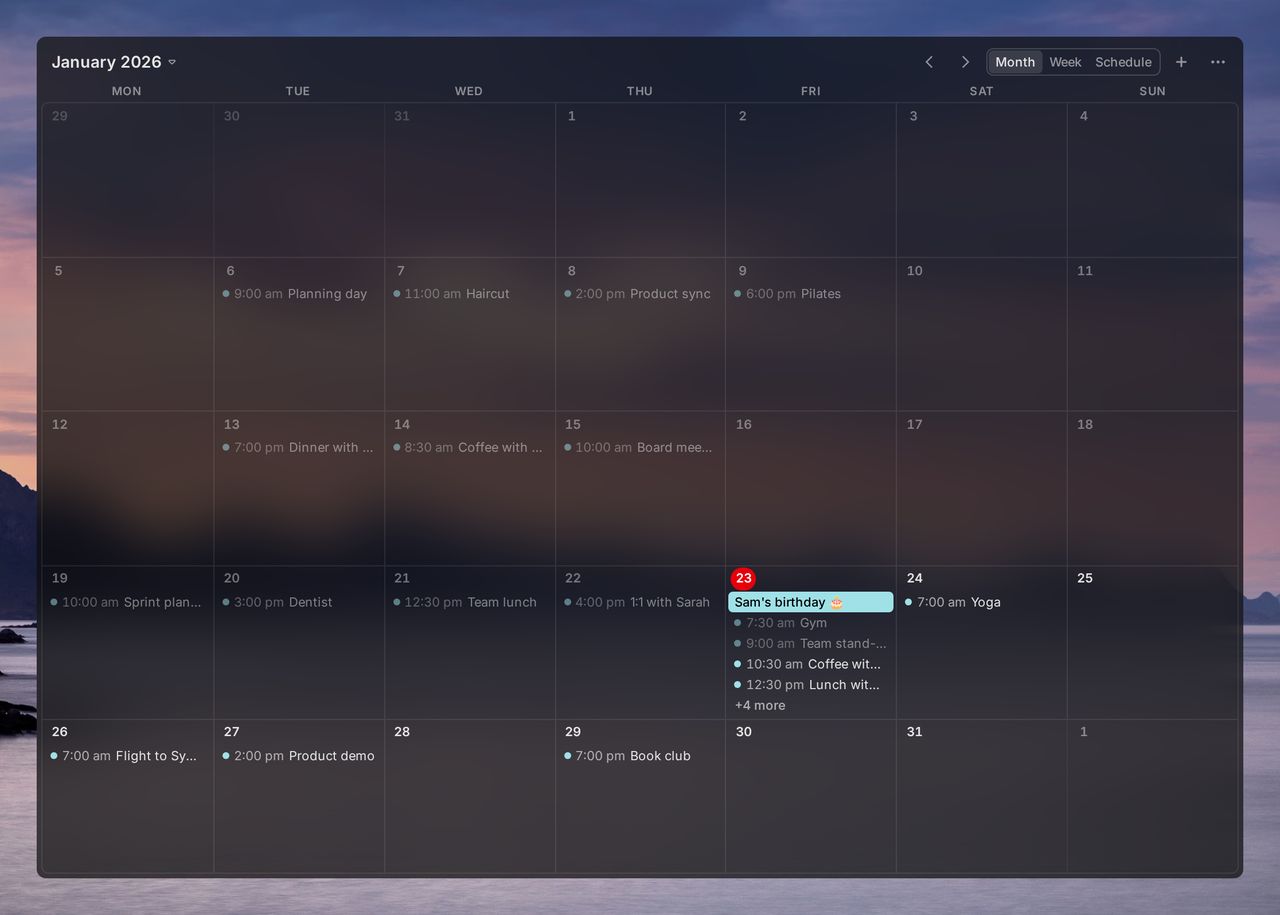
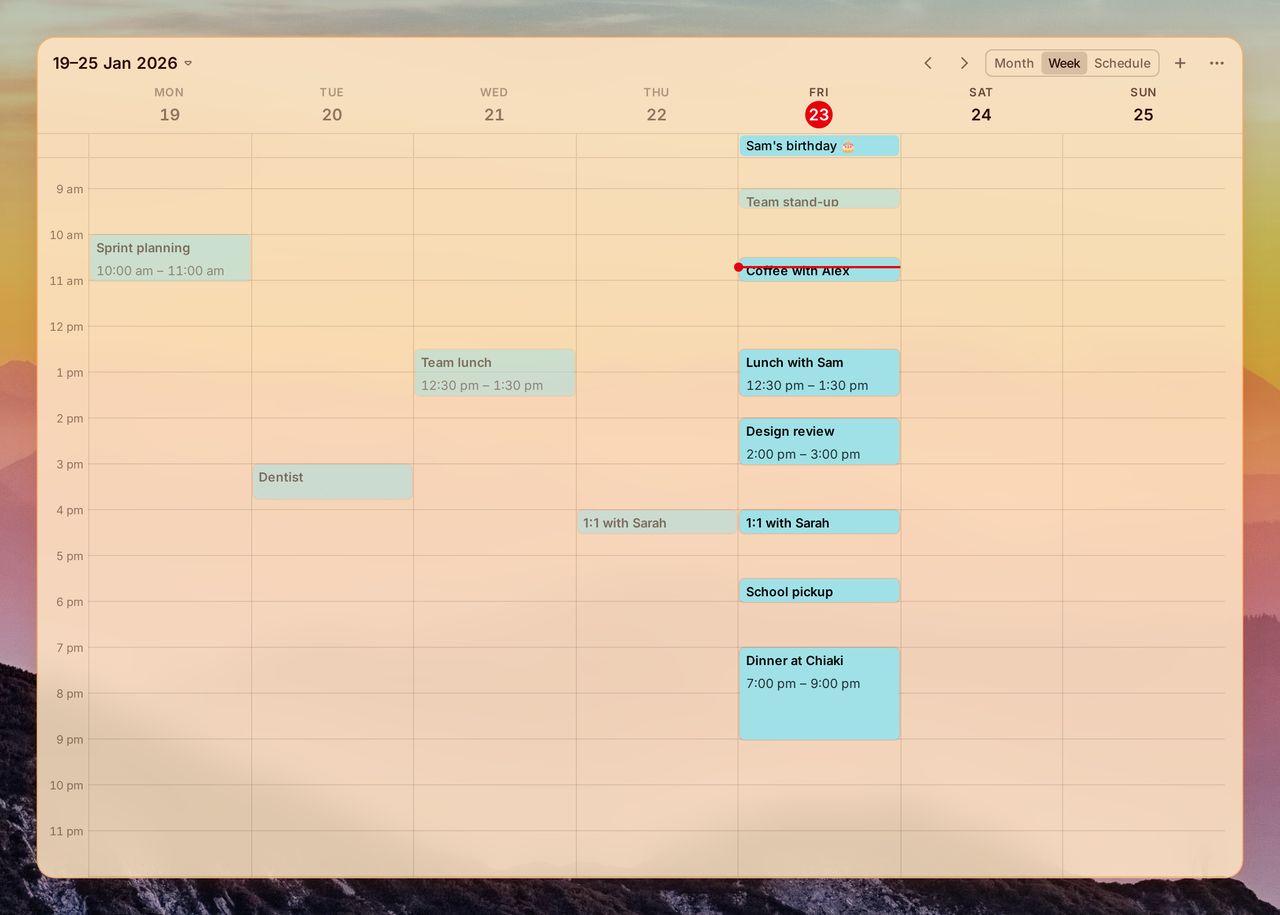
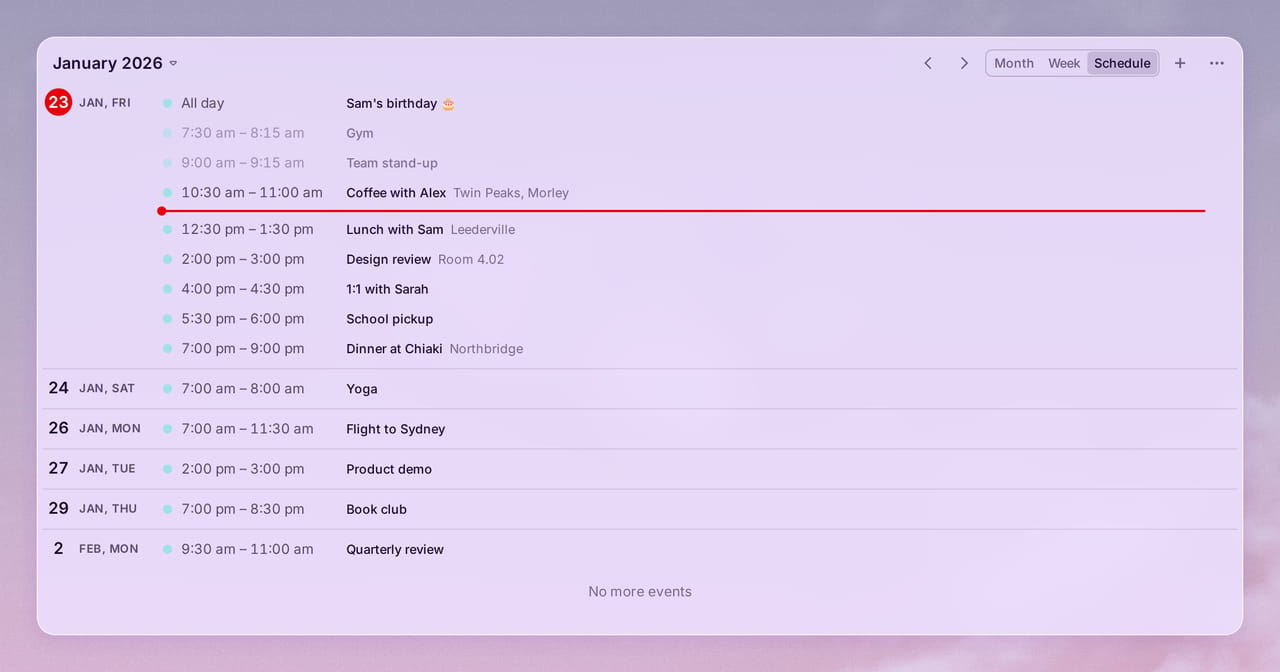
Add, edit and delete events from the widget, each in its Google Calendar colour, and choose which of your calendars a new event goes in.
In the widget's settings you can turn off calendars you don't want to see, like public holidays or a shared team calendar, and their events disappear from every view. Each widget has its own list, so one can show your work calendar and another your personal one. A calendar you add in Google later shows up without any setup.
It uses the same Google connection as before, and the week starts on the day your region uses, or the one you pick in its settings.
The new Google Calendar Week Agenda widget is a plain list of what's coming up: your events for today and the next six days, grouped by day, with empty days left out. It always starts at today and moves on to the next day after midnight. A line marks the current time, finished events fade, and you can open, add, edit and delete events from it too.
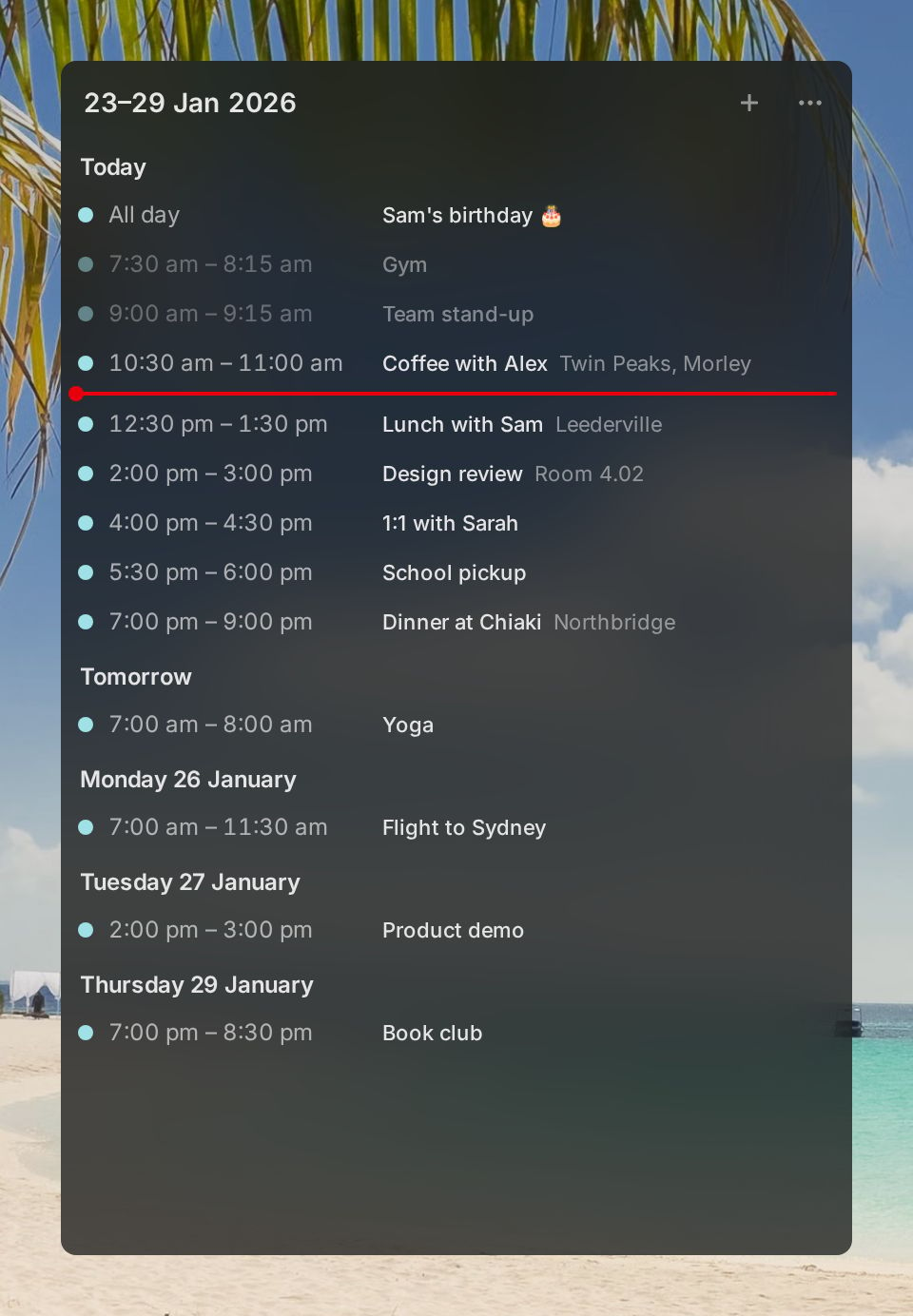
The widget that lists a single day's events is now called Google Calendar Day Agenda to set it apart from the other two, and your existing ones keep working as before. You can choose calendars in all three, and they all need Pro.
Bookmarks, history and open tabs
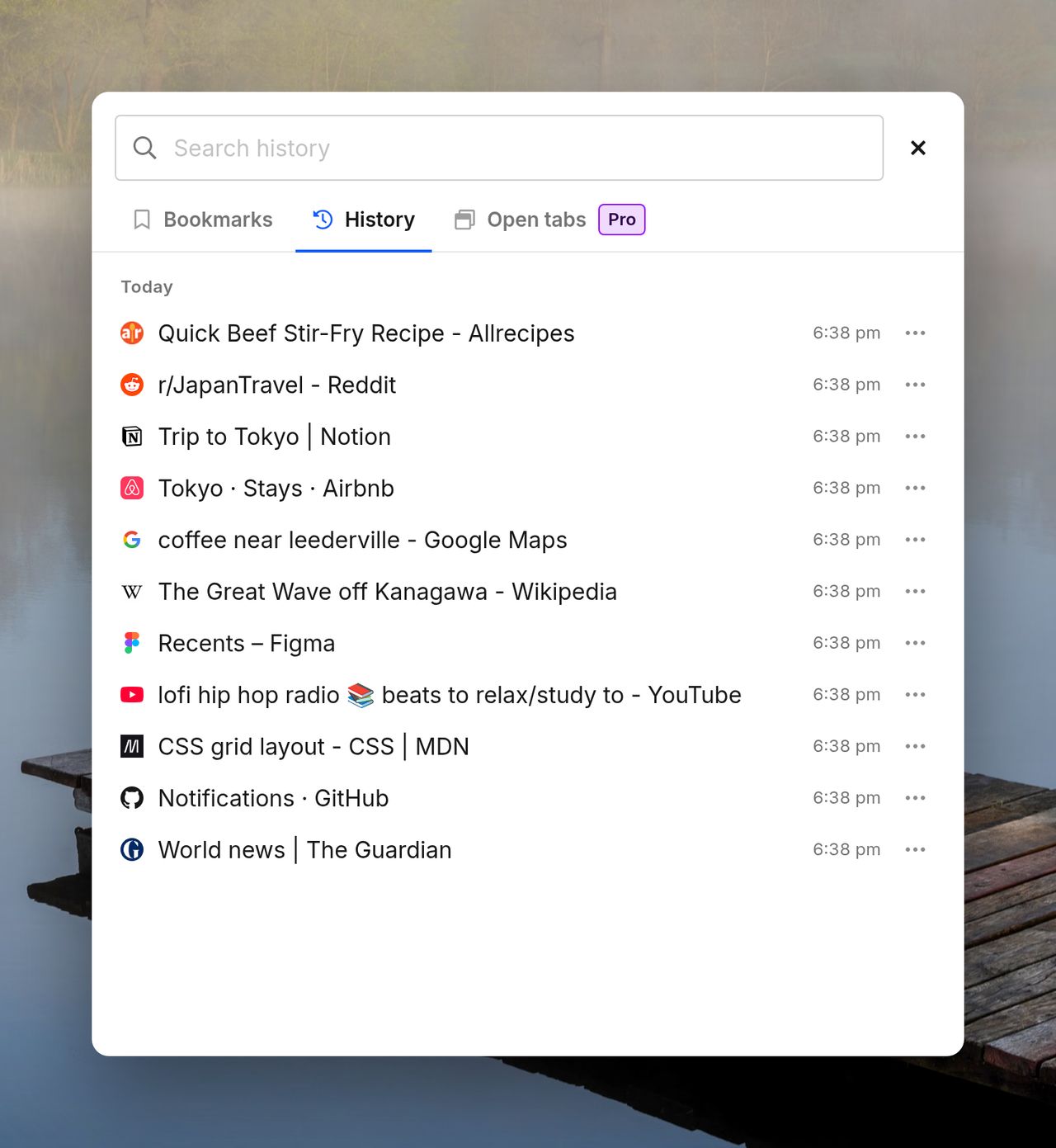
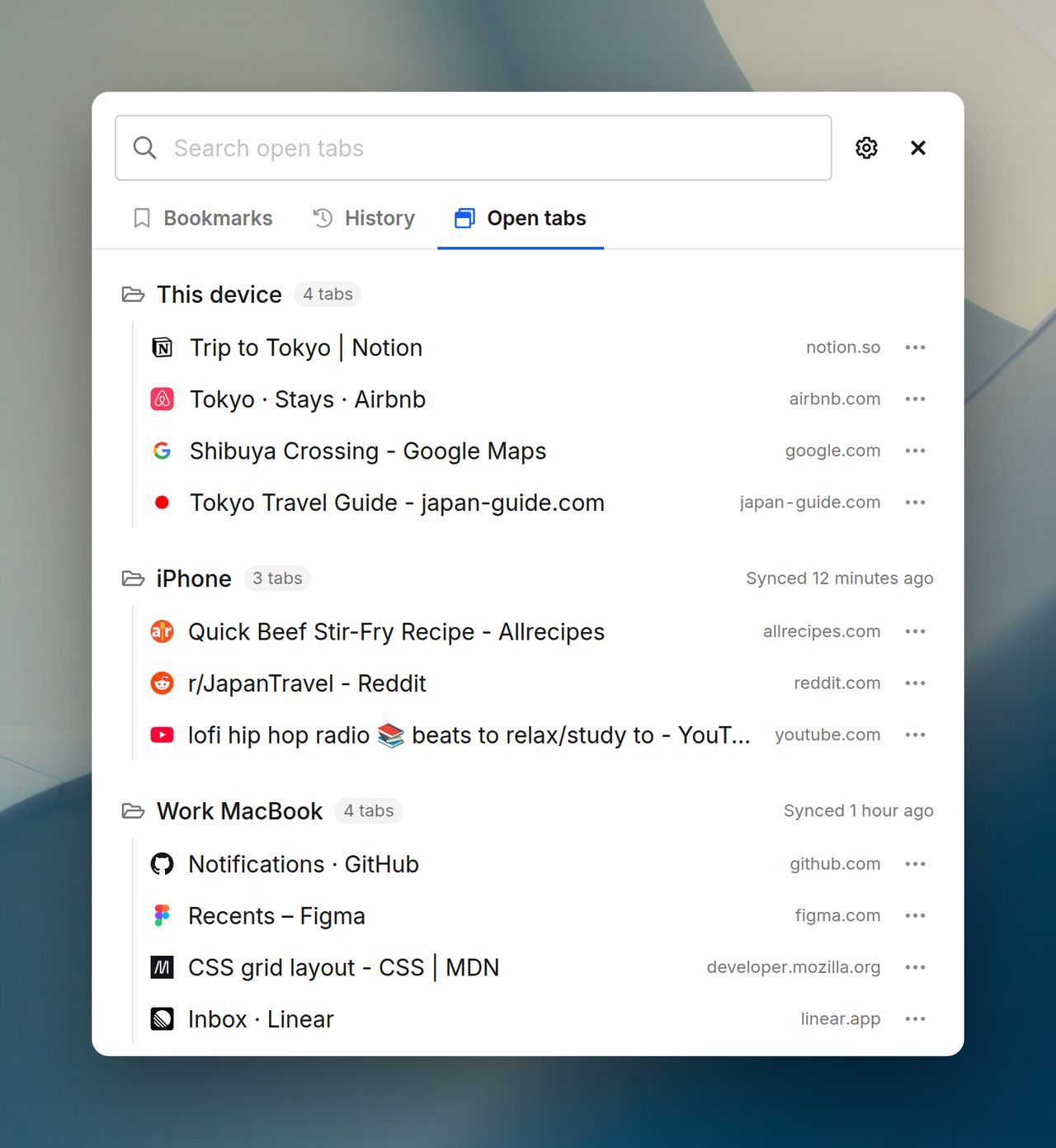
The Bookmarks dialog in the navbar is now Bookmarks, history and tabs:
- History lets you browse the pages you've visited, grouped by day, and search all of your history from the same search box as your bookmarks. Open a page, add it to your dashboard, bookmark it or remove it.
- Open tabs (Pro) lists the web pages open in every window on this device. Switch to a tab, close it, add it to your dashboard or bookmark it. Turn on Show other devices to see the tabs your browser syncs from your phone and other computers.
Each tab asks for its own permission, and the dialog opens on the one you used last.
The address bar: tw
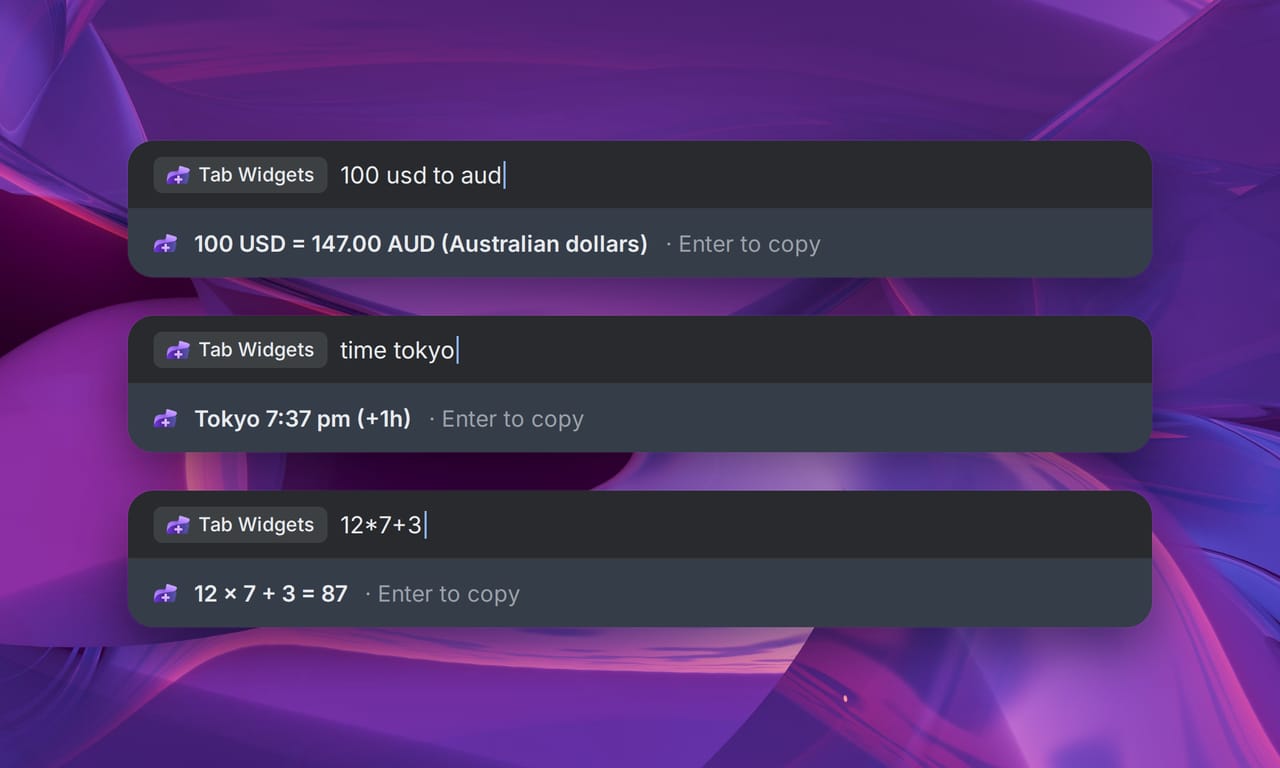
Type tw and a space in your browser's address bar to search your pages, widgets and search shortcuts as you type. Pick a widget to jump straight to it, or type a Search widget shortcut like tw maps sydney cafe to search with that provider.
It can answer questions too:
- Sums:
tw 12*7+3 - Currencies and units:
tw 100 usd to aud,tw 5 km in mi - The time anywhere:
tw time tokyo
Type tw ? to see everything it can do. Turn on copying in Settings → Advanced and Enter copies the answer.
New widgets: Alarm and Time Zones
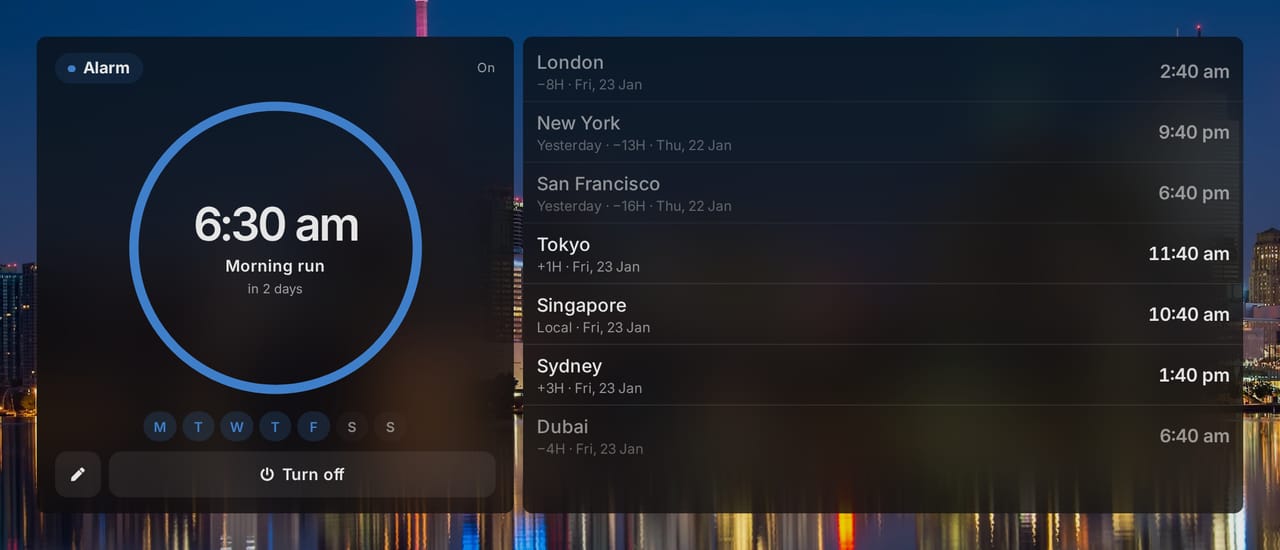
- Alarm: set an alarm for a time of day that rings once or on the days you choose, like weekdays at 7:00, with a label, a choice of sounds and a notification. Switch it off and on without setting it up again. In the extension it rings even when no Tab Widgets tab is open.
- Time Zones: see the time in up to 12 cities, with how many hours each is from you and whether it's already tomorrow there. Give them your own labels, drag them into order, and cities outside working hours are dimmed so you know who's still at their desk.
Both are free.
Tab Widgets in your language
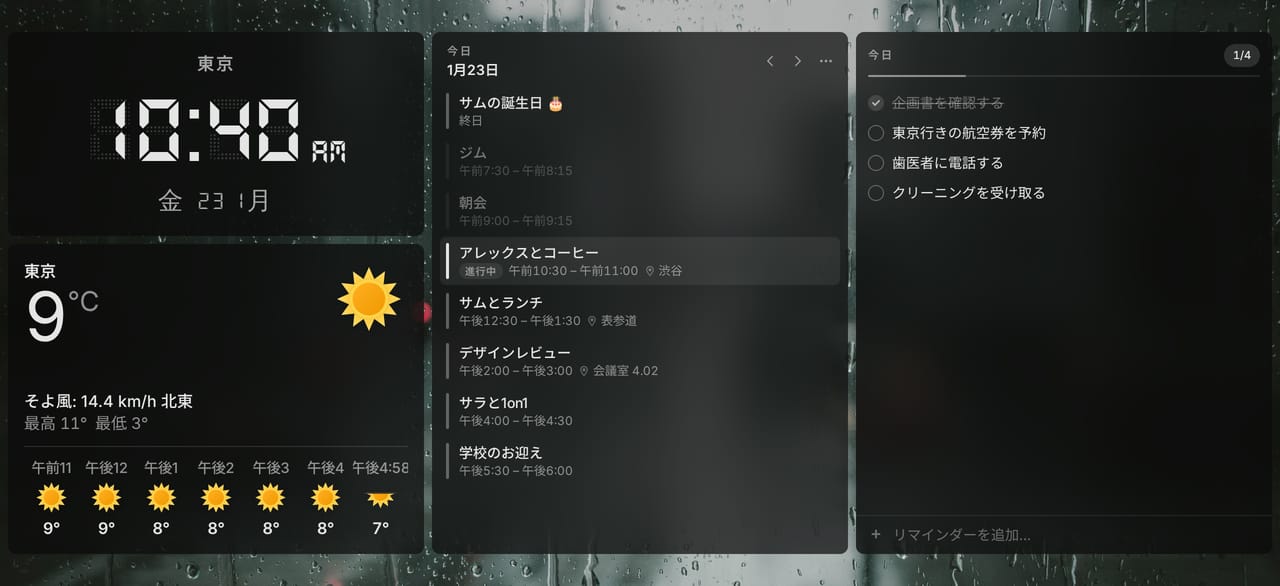
Tab Widgets now follows your browser's language, or the one you pick in Settings → General, and your dates, times and numbers follow it too. It's translated into 24 languages: English, Chinese (Simplified and Traditional), Czech, Danish, Dutch, French, German, Hungarian, Indonesian, Italian, Japanese, Korean, Malay, Norwegian, Polish, Portuguese (Brazil and Portugal), Russian, Spanish, Swedish, Thai, Turkish and Vietnamese.
Art and picture frames
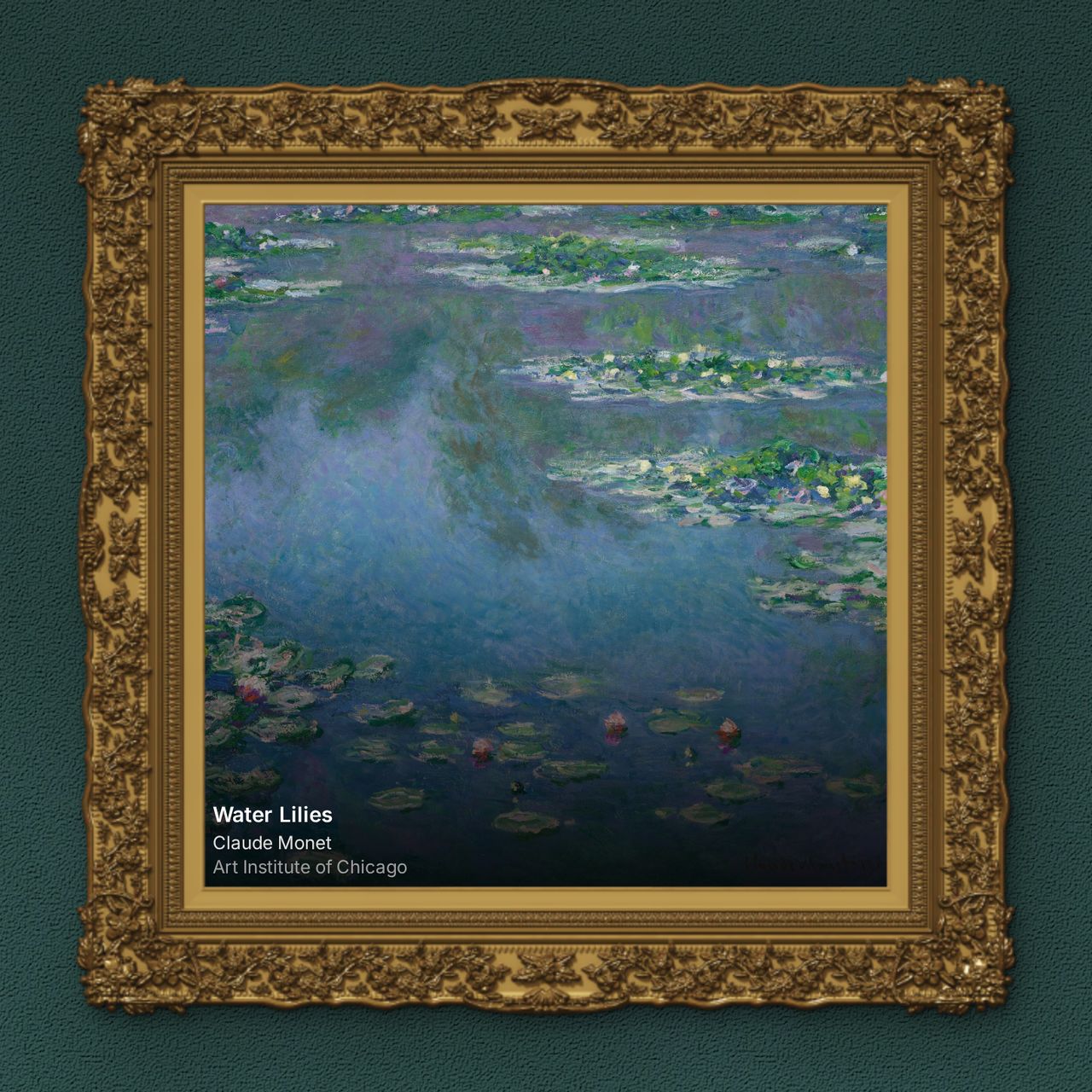
- Picture frames: hang the photos in your Image widget, and the daily artwork in your Art widget, in a frame with a white mat and a gold, black or wood moulding.
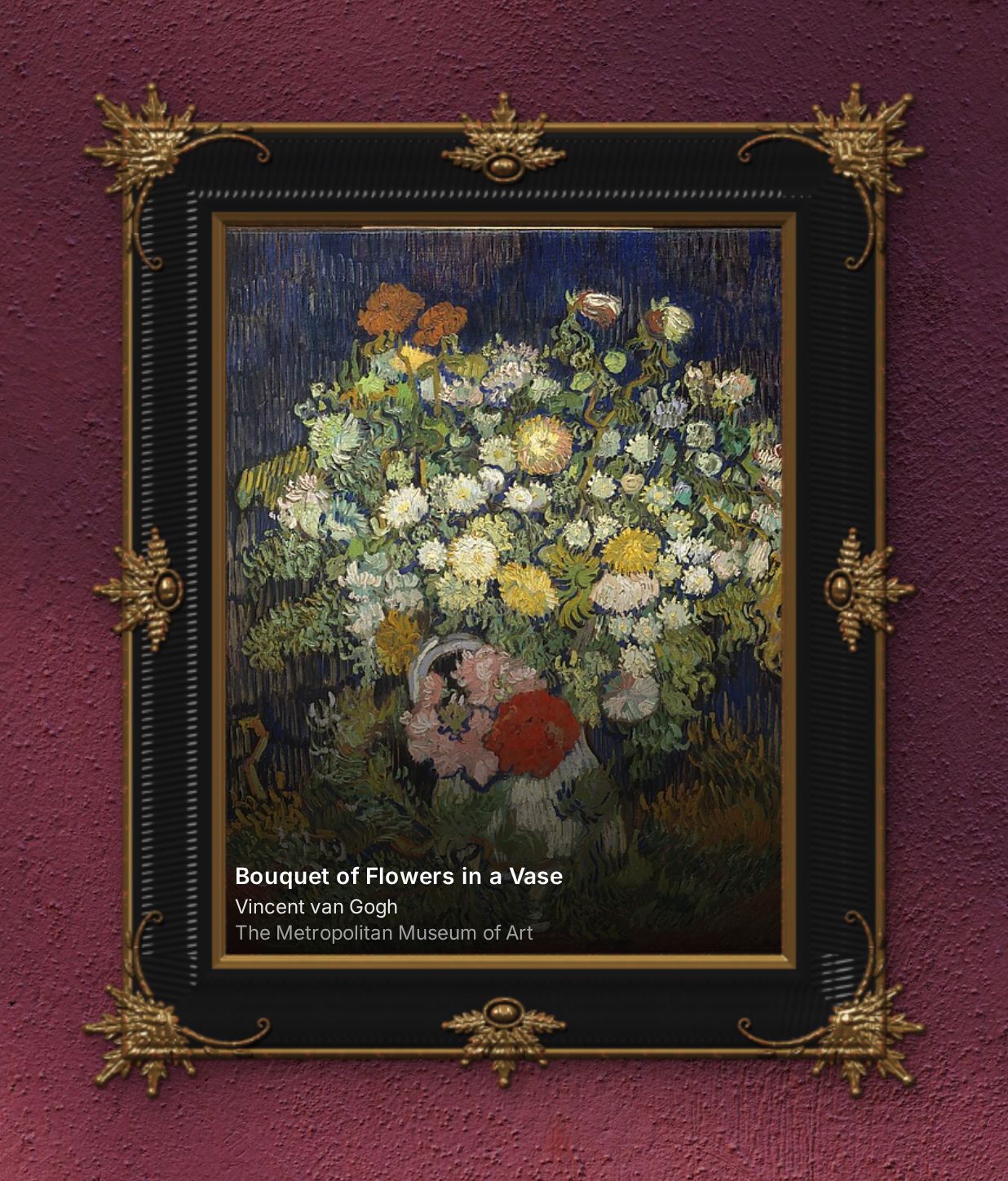
- Museum frames (Pro): fifteen carved Baroque, Rococo and Classical frames, from Italian Baroque and Louis XV to Barbizon and Tabernacle. Their corners break out of the rectangle with your wallpaper showing round them, and the gilt catches the light like real metal.
- More museums (Pro): as well as Google Arts & Culture, which stays free, the Art widget can now show public-domain paintings from The Metropolitan Museum of Art, the Rijksmuseum, the Cleveland Museum of Art and the Art Institute of Chicago, each linked to the museum's own page.
More improvements
- New pets: a golden retriever puppy for everyone, and with Pro, a panda cub, a quokka, a platypus, a capybara, a penguin chick and baby dragons in four colours.
- Link Group: in edit mode, add, rename, delete and drag links right on the widget, and drag links between groups.
- Timer: choose your own quick presets, add minutes while it runs, and a paused timer stays paused across tabs and devices.
- Auto-hide dock: hide the dock until you move the mouse to the bottom of the screen, and pick how it appears.
- Onboarding: new users start from one of six ready-made dashboards, and can upload their own photo as a wallpaper.
- Philips Hue widgets are now free, with a new colour wheel that only offers colours each light can show.
- Website widget: while picking an element, press ↑ and ↓ to step out to the card or section around it, or back in.
- Faster wallpapers: big wallpapers show on a new tab as quickly as small ones, and the extension is about 14 MB smaller.
- Send feedback: a speech bubble button in the navbar lets you report a problem or share an idea with us, signed in or not.
- Timer, Pomodoro and Countdown now ring on the web version while any Tab Widgets tab is open, and widgets stay in sync across your open tabs.
Get Tab Widgets
The five free themes, widget Appearance, the address bar, Alarm, Time Zones and every language are free for everyone. Pro adds the Google widgets, open tabs, every theme and museum frame, unlimited widgets, pages and dock spaces, cloud sync, and advanced customization.