Tab Widgets v2 is here: your new tab just got pets. See what's new

Your new tab. Your way.

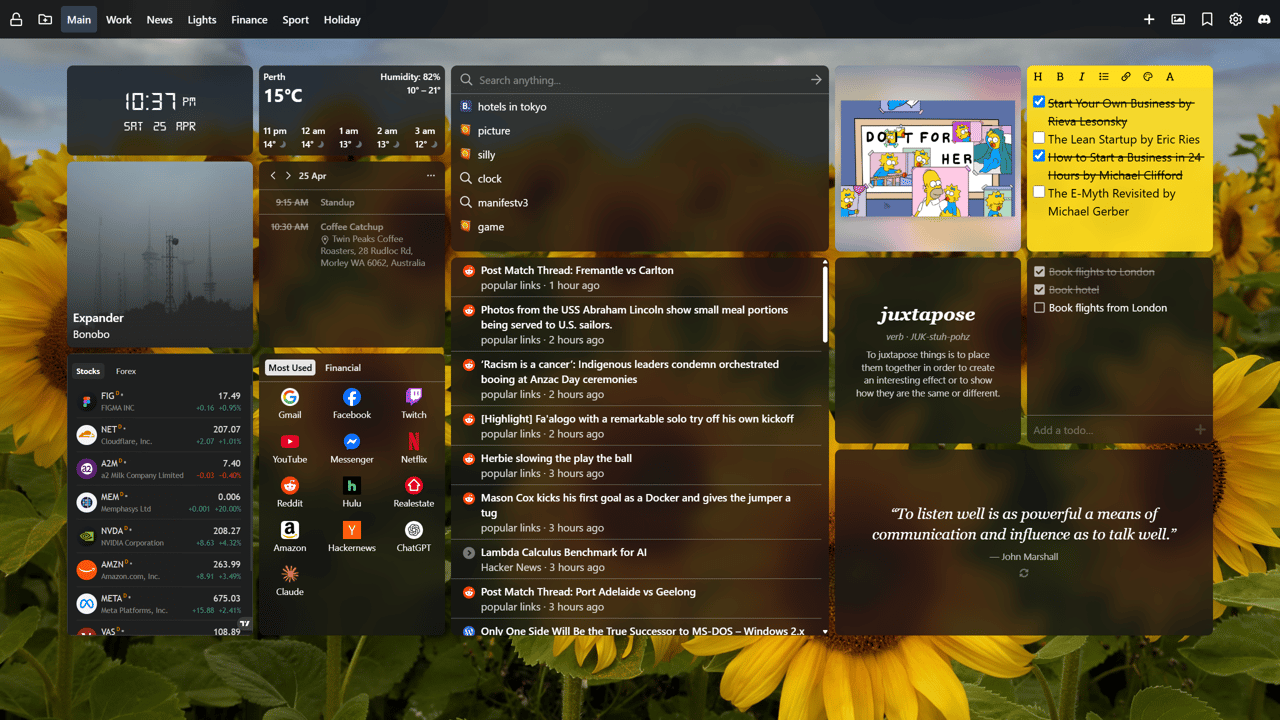
A free new tab extension with notes, weather, news and 70+ more widgets, plus a pixel pet or two, every time you open a tab.

No account needed · Free to use · Also on Microsoft Edge

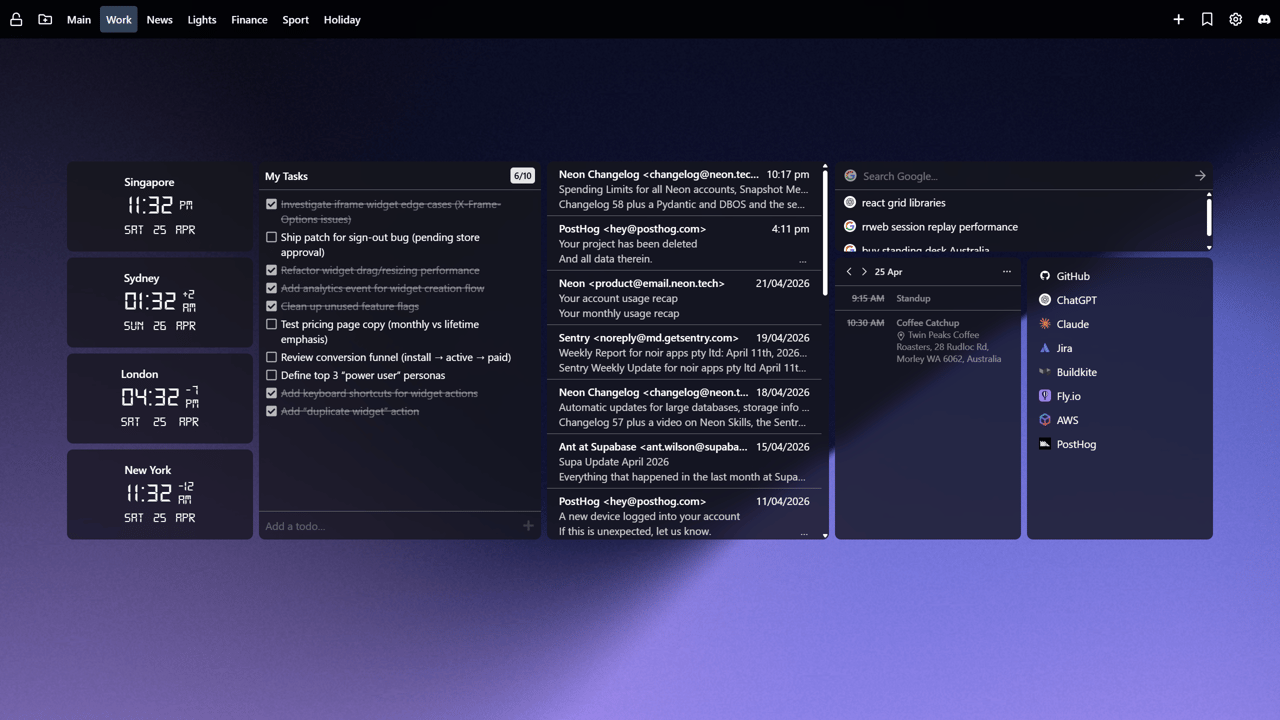
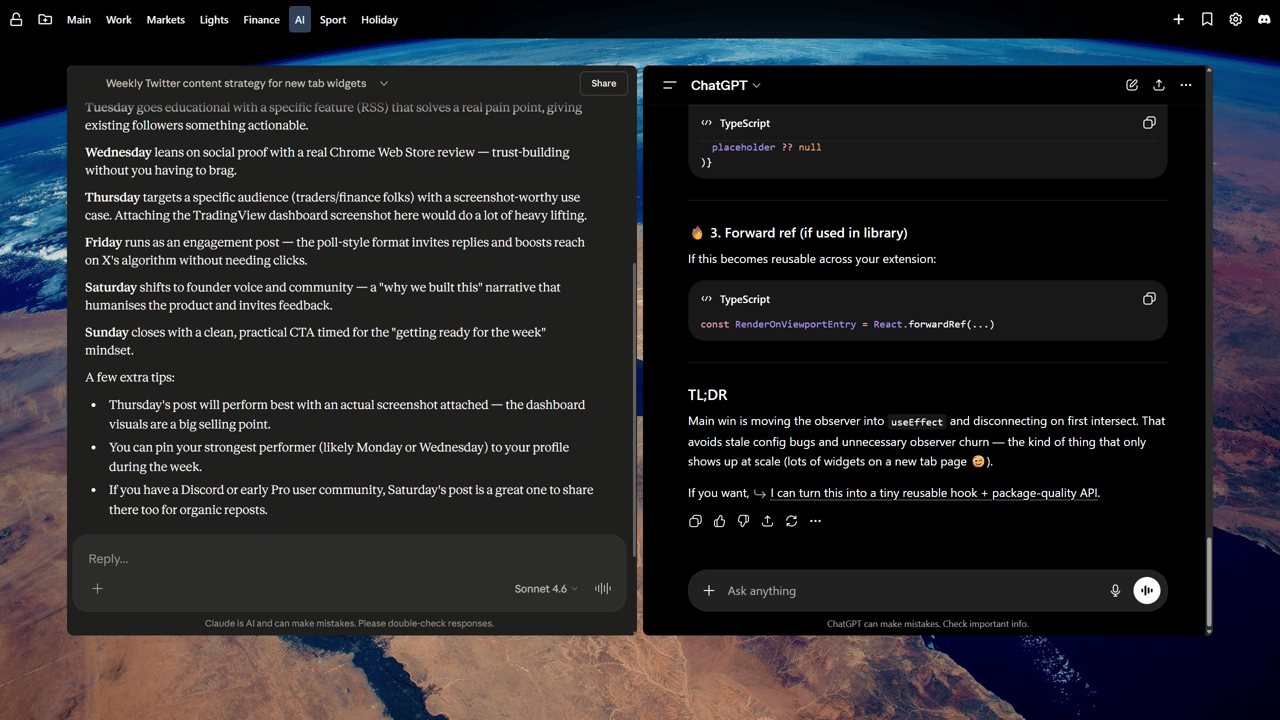
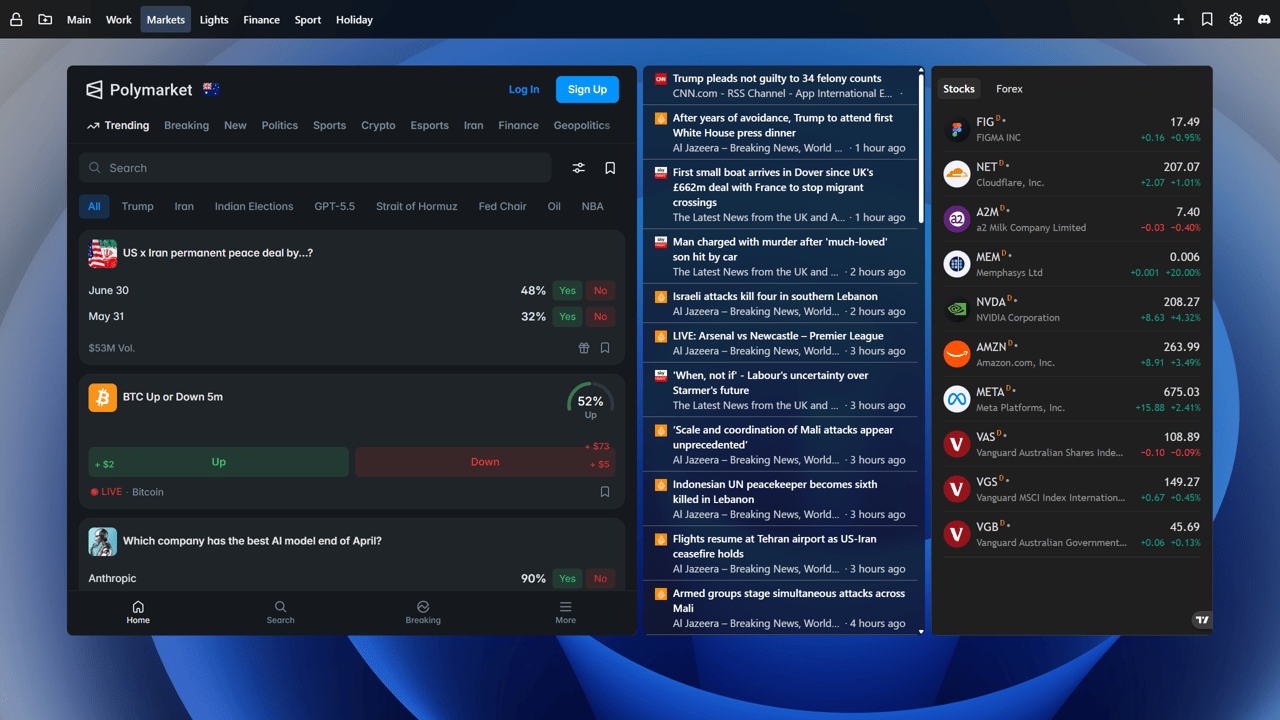
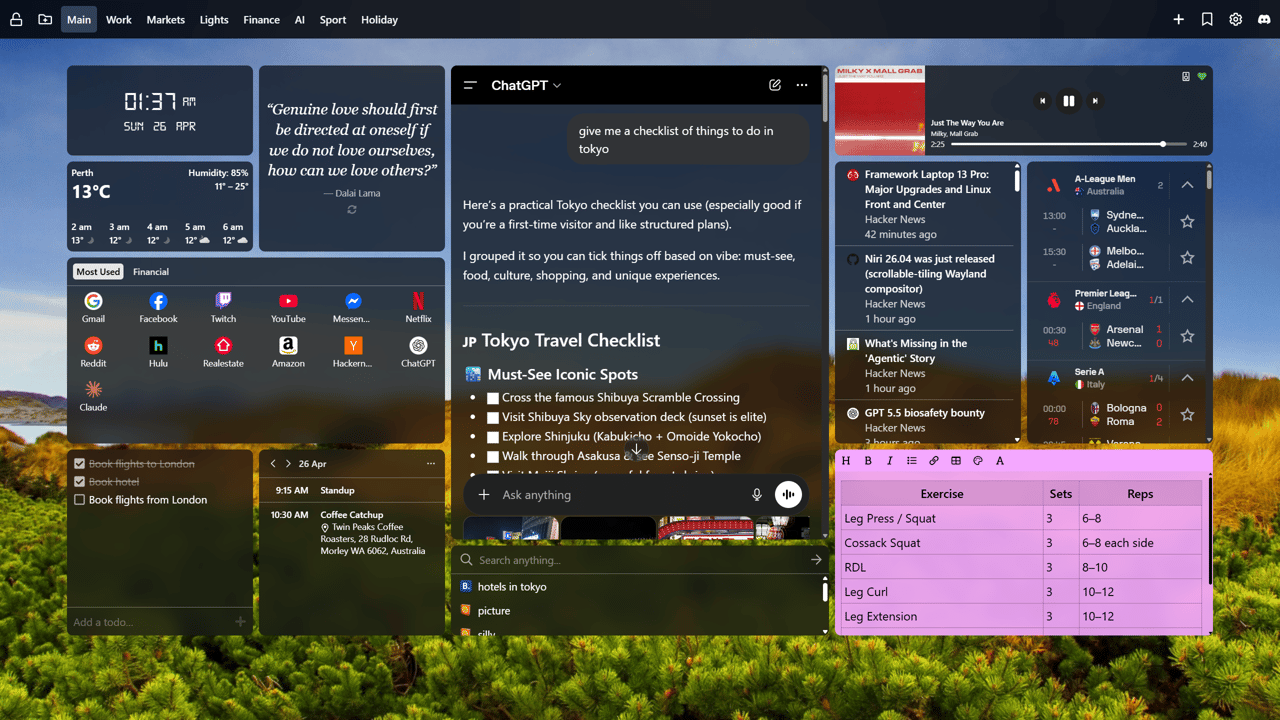
A Tab Widgets new tab dashboard on a mountain sunset wallpaper, with a digital clock, weather, a daily quote, Google Calendar events, pixel pets on a basketball court, an RSS news feed, a sticky note, a to-do list and a countdown to a trip.

Used by people at these organizations and many more

Why Tab Widgets

More than a pretty new tab.

Coming from Momentum? See how we compare.

See it in action

Take a tour of Tab Widgets 2.0

A space that fits you

One dashboard.
Countless ways to use it.

Keep it beautifully simple. Or build your own command centre. You choose what belongs in your new tab.

01 / YOUR EVERYDAY

A little more you.A lot less tab switching.

Check the weather, jot down an idea, keep a favourite photo in view and play something good. Your daily essentials, right where you open a tab.

  • Weather
  • Notes
  • Photos · Pro
  • Music · Pro
Build your dashboard
An everyday Tab Widgets dashboard in a pastel theme on a pink sky, with a photo of a dog on the beach, a clock, a weekend sticky note, weather, a quote, a trip countdown and Spotify.

New in v2: Pets

Your new tab just got pets.

Pixel-art dogs, cats and a tiger cub live in a little world on your dashboard. They follow the time of day, play while you work and cheer when you sink a shot. A breather between emails, not a distraction.

  • Park: throw a ball and watch them chase it across the grass.
  • Beach: they doze on the sand when the stars come out.
  • Hoops: shoot a few hoops between emails and chase your best streak.

Every world is free with 1 pet per widget. Pro brings up to 5 pets that play together, and Exotic breeds like the tiger cub.

Sink one from the far end of the court and the net blows up.

Pick your pieces

70+ widgets.
One very personal tab.

Practical, playful, or a bit of both.
Find the tools you want to keep close.

  • Weather Forecast

    Displays the current weather forecast for a specified location.

  • Sticky Note

    Easily create, organize, and prioritize your tasks and reminders. Quickly jot down your notes and stay organized effortlessly.

  • Link Group

    An organized collection of bookmarks for quick and easy access.

  • Search

    A versatile and customizable search bar supporting multiple providers, with a history feature to track past searches.

  • Digital Clock

    Displays the local time of a chosen location in a digital format, with optional unlit LCD segments drawn behind each digit.

  • RSS FeedPro

    Display an RSS feed. Supports multiple feeds, OPML feed lists, and scanning a page for an available RSS feed.

  • Quotes

    Display a random inspirational quote, with optional author attribution. You can choose how often the quote changes, from every time you open the new tab to once a day.

  • Currency Converter

    Convert between 180+ world currencies with live exchange rates. Supports major fiat currencies, cryptocurrencies, and precious metals with bidirectional conversion.

Meet your dock

A little more room.
Everything within reach.

The Bottom Dock keeps spaces of extra widgets at the bottom of every dashboard page. Open one when you need it, then close it to get back to a clear dashboard.

  • Make a space for work, focus or reading, each with its own widgets.
  • Add a widget right from an open space, and drag its edge to resize it.
  • Reorder spaces in the dock, or turn the dock off in General settings.

Pro adds unlimited spaces, custom space icons and preloading, so a space opens faster.

Work

A sticky note, a list of reminders and a group of links.

Choose a space to open it, or drag its edge to resize it.

Reviews

Don’t just take our word for it.

What people say about Tab Widgets on the Chrome Web Store.

“This is what I've been looking for, for years!

Instead of opening up a whole bunch of tabs to see what I need to see everyday, I can have it all on a dashboard, as well as notes, chatgpt, music and the list goes on. It's so easy to use and customise I absolutely love it.”

Kenneth ConomosChrome Web Store review
  • “A good, customizable replacement for the Edge/MSN new start tab.”

    Jason GrzywnaChrome Web Store review
  • “Beautiful and modern design with a simple and intuitive user interface. … the ability to turn on/off individual selectors as well as write your own custom CSS is extremely powerful (and a bit addictive).”

    KirkChrome Web Store review
  • “Works flawlessly to control my hue lights straight from my computer. Excited to see what other features get added.”

    Mark DorkhomChrome Web Store review
  • “Great addon for the way I use chrome with a lot of neat features, and most importantly excellent support (initially emailed the developer and later on received a lot of assistance through their discord)”

    Dennis JohanssonChrome Web Store review

Pricing

Bring your inbox, calendar, tasks and files to every new tab.

Unlock Google Drive, Gmail, Calendar, Tasks, RSS, Spotify, cloud sync, and unlimited dashboards.
Cancel anytime. 30-day money-back guarantee.

Starter

FreeNo email or credit card required.
  • Add up to 10 widgets
  • Create up to 2 pages
  • Weather, clocks, sticky notes, Pomodoro timer, ambient sounds and more
  • Pets, with 1 pet per widget
  • Basic page layouts
Add to Chrome

Pro

$3.75 usdper month ($44.99 usd billed annually).
  • Save 25% – only $44.99 (normally $59.88)
  • Unlimited widgets
  • Unlimited pages
  • Unlock premium widgets and features including:

    • Google Calendar - keep upcoming events and meetings in view, and create, edit or delete them without leaving your new tab.

    • Gmail - triage unread and starred emails, archive, star or trash them with undo, and stay on top of multiple inboxes directly from your new tab.

    • Google Tasks - add, tick off and reorder tasks across your lists, with subtasks and due dates.

    • Google Drive - search files, open recent uploads, upload by drag and drop, and manage files without leaving your dashboard.

    • Stock & Finance - follow markets, prices, and key financial data at a glance.

    • iFrame - embed exactly what you need, hide distractions, and fine-tune the view with custom CSS.

    • RSS Feeds - keep up with your favorite sites, blogs, and newsletters in one place.

    • Spotify - control playback and see what's playing without breaking focus.

    • Pets - up to 5 pets per widget that play together, Exotic breeds like the tiger cub, and your full Hoops stats with a Progress chart.

    • Images - showcase photos, artwork, and visual inspiration to make every new tab feel more personal.

  • Arrange widgets in a grid or place them freely anywhere
  • Cloud backup and syncing across devices
  • Per page custom wallpapers
  • Favourite wallpapers synced across devices, with shuffle
  • Full design control with custom CSS

LifetimeOnly 1 remaining

$179.99Get Pro plus all future updates for a one time purchase.
  • Everything in Pro
  • Includes all future widgets and updates
  • Pay once, enjoy forever
  • Only available for first 20 customers
  • Join 19 other users who have already upgraded

Secure checkout powered by Stripe, Inc. Cancel anytime. No lock in contracts. No hidden fees. 30-day money-back guarantee.

Frequently Asked Questions

What is Tab Widgets?
Tab Widgets is a new tab extension for Chrome and Edge that transforms your new tab page into a customizable dashboard with a variety of widgets to enhance your productivity and browsing experience.
Is Tab Widgets free?
Yes! Tab Widgets is completely free to use with optional Pro features available via subscription or a one-time purchase (limited available).
Do I need to create an account?
No account is required to use Tab Widgets. Simply install the extension and start customizing your new tab page.
What widgets are available?
Tab Widgets offers a variety of widgets including weather, to-do lists, bookmarks, notes, and more. We currently have 79 available to choose from. Some premium widgets are available with a Pro subscription. You can view the full list of available widgets on our Widgets page.
How does Tab Widgets compare with other new tab extensions?
We compared it with Momentum, Bonjourr, daily.dev, start.me and Speed Dial 2 in our guide to the best new tab extensions for Chrome.
How do I install Tab Widgets?
Is my data secure?
You don't need an account to get started. When you connect Google, the content of your emails, calendar events, Drive files and tasks never touches our servers: your browser fetches it straight from Google, and it stays on your device. We don't sell or rent your personal information. For more details, please refer to our Privacy Policy.
How can I contact support?
If you have any questions or need assistance, you can contact us via email at , or you can also find us hanging out in our Discord server. We're here to help!