Tab Widgets v2 – Pets, Google Tasks & Favourite Wallpapers
Tab Widgets v2 adds a Pets widget with three worlds to play in, a Google Tasks widget, and favourite wallpapers you can save, shuffle and preview behind your widgets.

Published
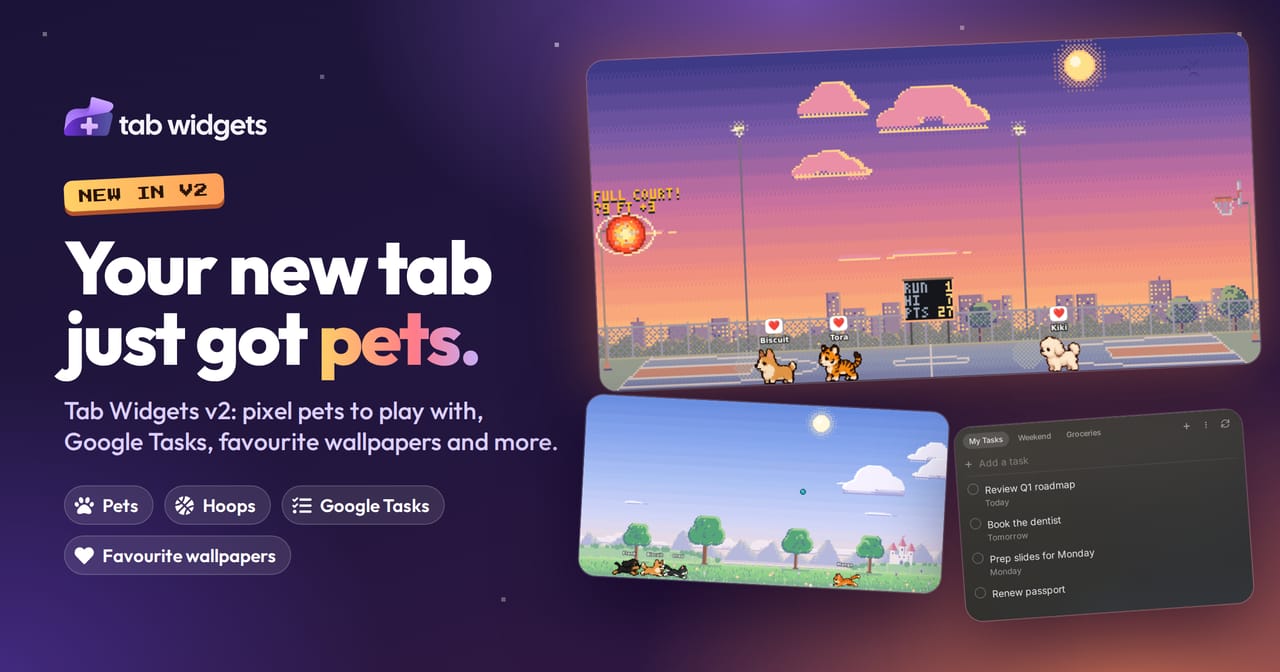
Tab Widgets v2 is our biggest update yet. Adopt a few pixel-art Pets that live on your new tab, keep your to-dos in view with the new Google Tasks widget, and save the wallpapers you love as favourites, then shuffle them or preview them behind your widgets. Gmail and the clocks got upgrades too, and most of your widgets have a fresh new look.
Pets: a little world on your new tab
The new Pets widget fills a tile with animated pixel-art pets that wander about, sit, nap and play. Pick from three dogs (Corgi, Bichon and Dachshund), three cats (Orange tabby, Grey tabby and Tuxedo cat) and an Exotic Tiger cub, and give each one a name.
They're more than something to look at:
- Click a pet to make it wave, or click three times to give it a pat.
- Drag on empty space to throw the ball. A pet chases it and brings it back so you can throw again.
- Press and hold to drop a treat, and watch them race for it.
- Pets notice your cursor, come over to say hello, and get the zoomies when they meet each other.
Your pets live in one of three worlds: a Park, a Beach, or Hoops, a city basketball court. Each world follows the time of day, from sunrise to a starry night, and moves gently on its own with drifting clouds, birds and fireflies.
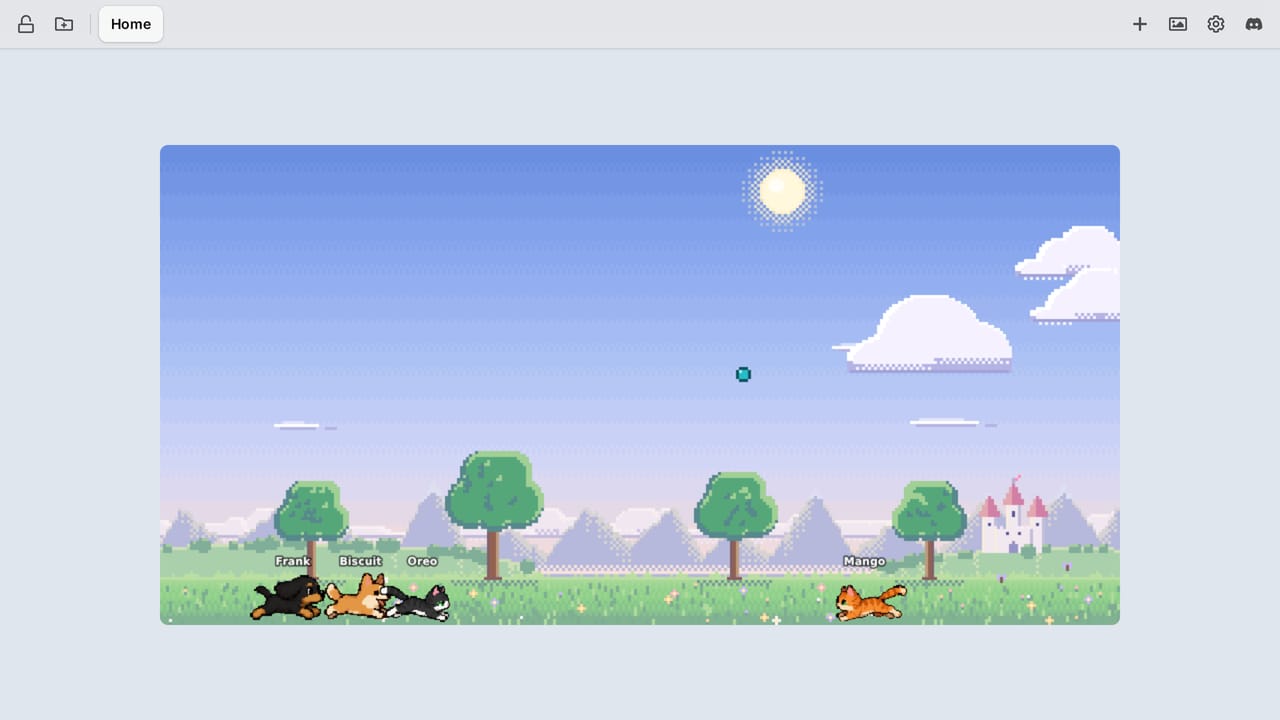
After dark, the stars come out over the Beach, the lighthouse lamp comes on and the moon lights a path across the water, while your pets doze off on the sand.
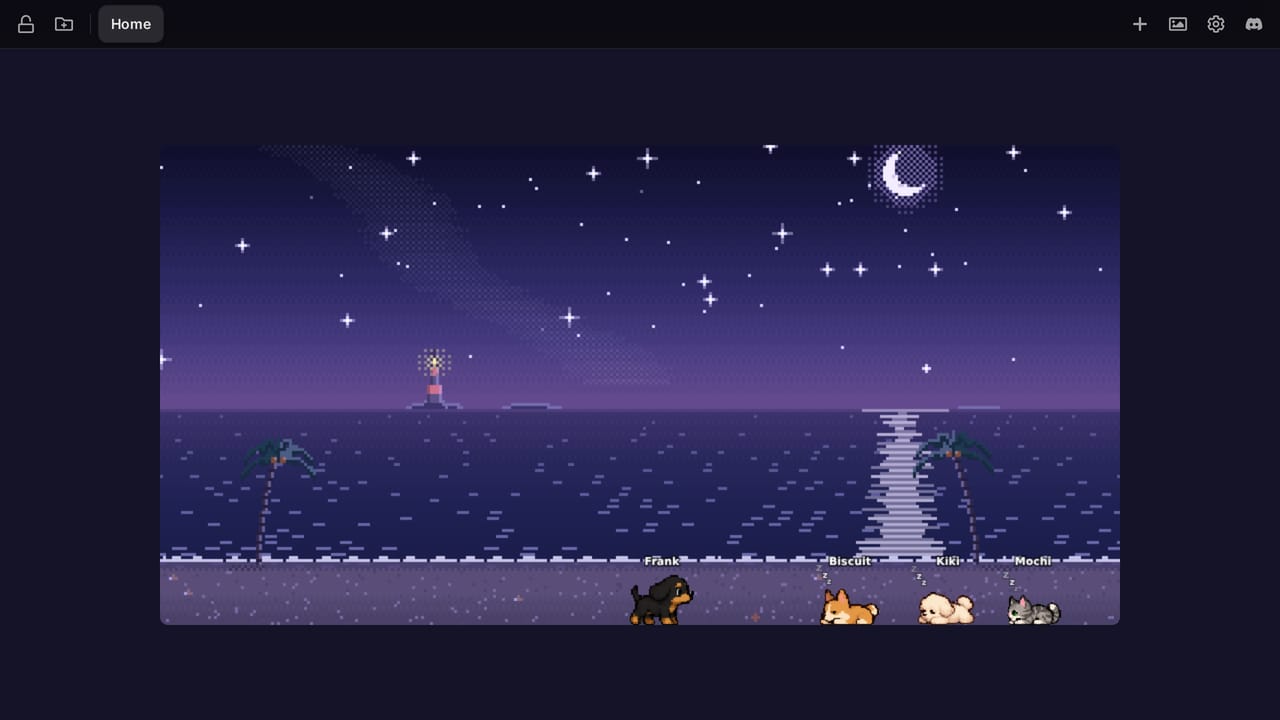
In Hoops, pull back like a slingshot and let go to shoot at either hoop, with an aim line to show where the ball will go. It bounces off the backboard, rattles round the rim and drops through the net, and a scoreboard on the fence keeps your streak, your best and today's points. Long shots, trick shots, airballs and new records get callouts, and the settings keep your records. To start on the court, search for Pets: Basketball in the widget picker.
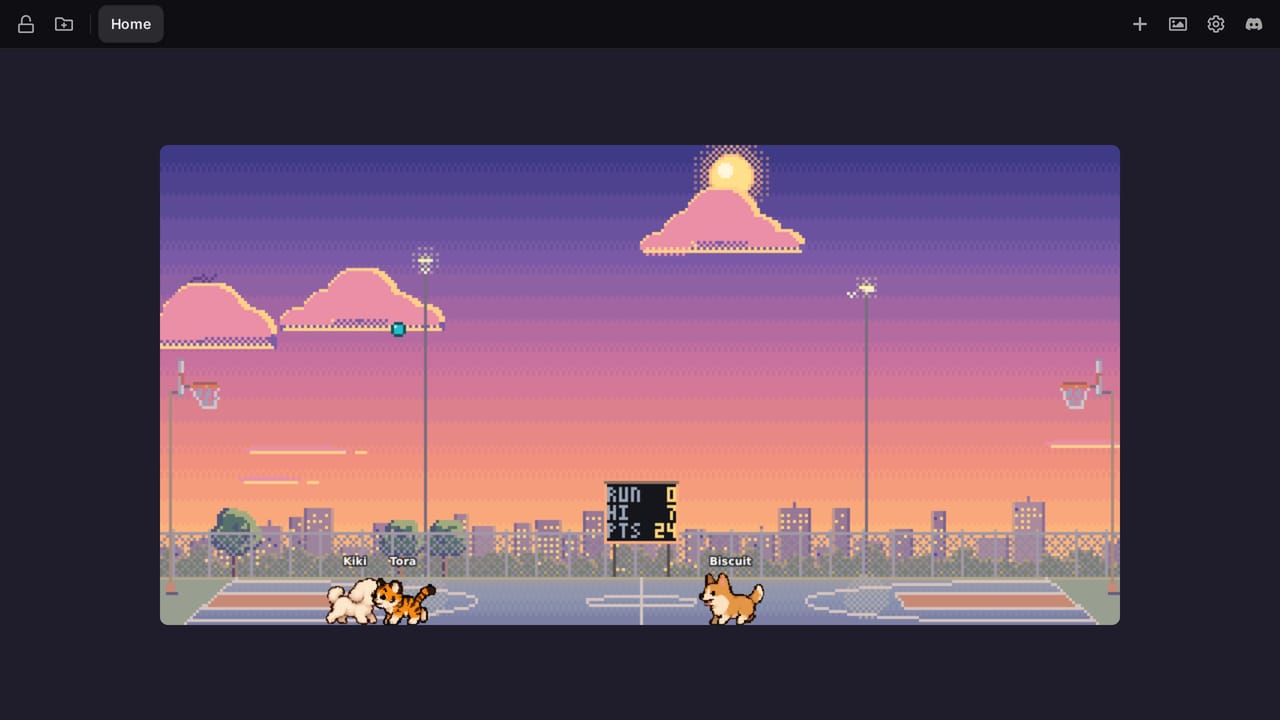
Sink one from the far end of the court and the net blows up.
Every world and every way to play is free, with one pet per widget. Pro gives each widget up to 5 pets that play together, unlocks Exotic breeds like the tiger cub, and shows your full Hoops stats with a progress chart for the last 90 days.
A little life on your everyday dashboard
We built Pets for the dashboard you open dozens of times a day. Give it a wide tile in the middle of your widgets and it becomes the friendly heart of your new tab: your calendar, inbox and tasks keep you on track, and your pets keep you company while you work.
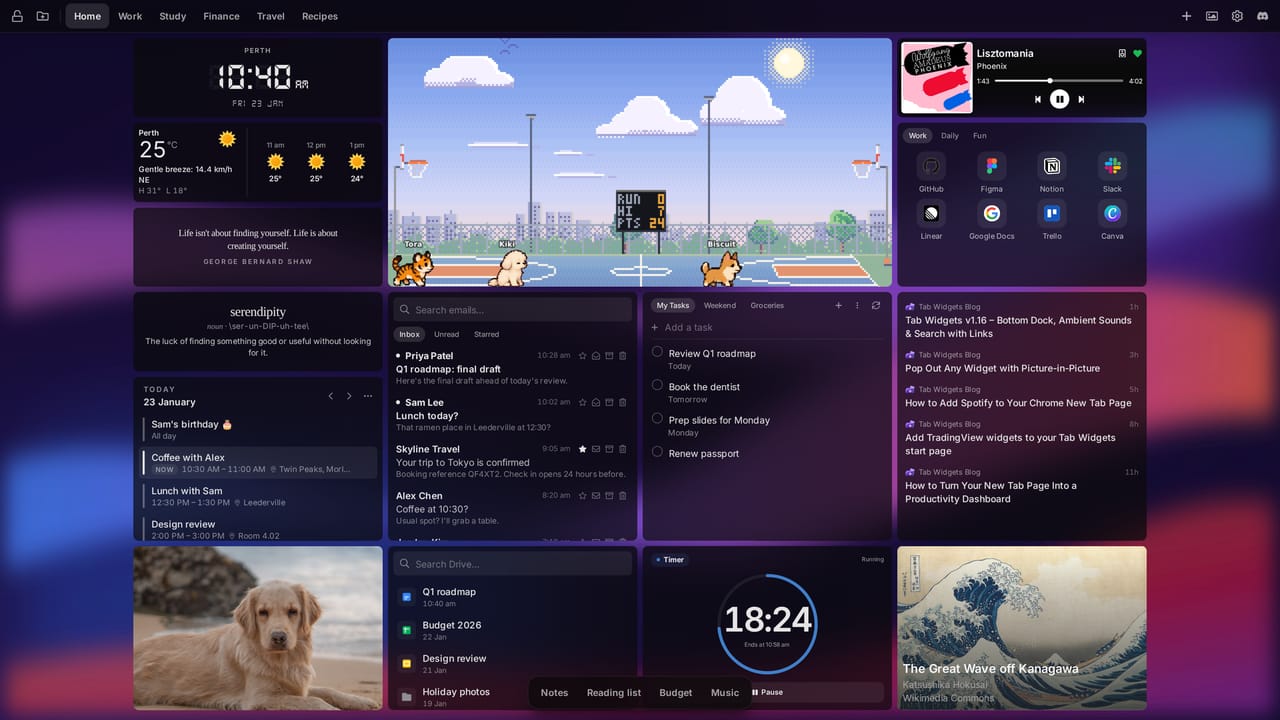
Here's why it's earned a permanent spot on ours:
- A breather, not a distraction. Your pets get on with their day without asking anything of you: no notifications, nothing to tick off. Open a tab, see what they're up to, and get back to it. Shooting a quick three between emails is the best kind of break.
- It follows your day. The world moves from sunrise to a starry night with your clock, so a glance tells you how the day is going, and when your pets start nodding off, it might be time to log off too.
- It's yours. Name them after your own pets, pick their breeds, and choose the park, the beach or the court. It's a little bit of you on every new tab.
- It's light. Pets pause when the tab is hidden or the widget is off-screen, and stay still if you prefer reduced motion, so they never get in the way of the widgets that do the work.
Google Tasks: your to-do list, on every new tab
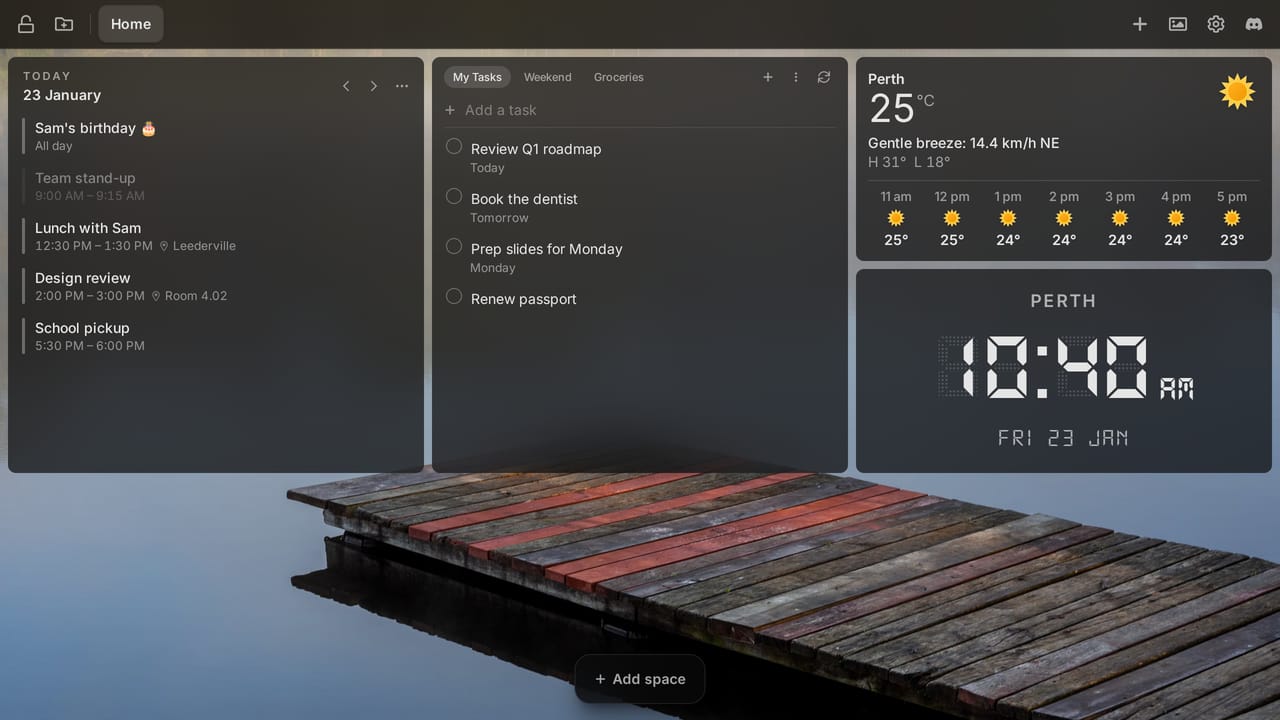
The new Google Tasks widget shows your Google task lists right on your new tab. Add, complete, edit and delete tasks, set due dates, add subtasks, and drag tasks to reorder them, without opening Google Tasks.
Show several lists as tabs in one widget, and create, rename or delete lists from the widget itself. Changes go straight to your Google account, so your tasks stay the same everywhere you use Google Tasks.
Google Tasks joins the Calendar, Gmail and Google Drive widgets, and like them it's part of Pro.
Favourite wallpapers: save, shuffle and preview
Found a wallpaper you love? Click the heart on any wallpaper in the gallery to save it to your Favourites. Using a random wallpaper? Favourite the one that's showing right now. Open the Favourites view to see them all and apply one again in a click.
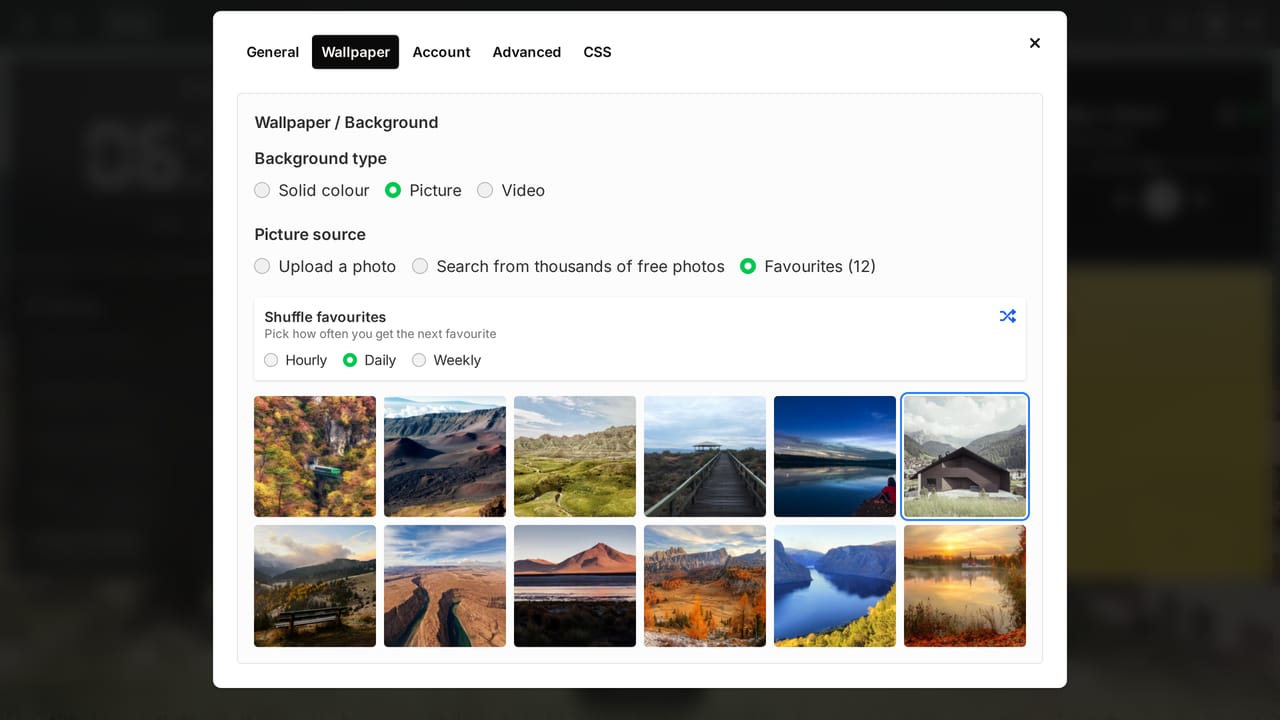
- Shuffle your favourites: set your wallpaper to change to a random favourite every hour, day or week (Pro).
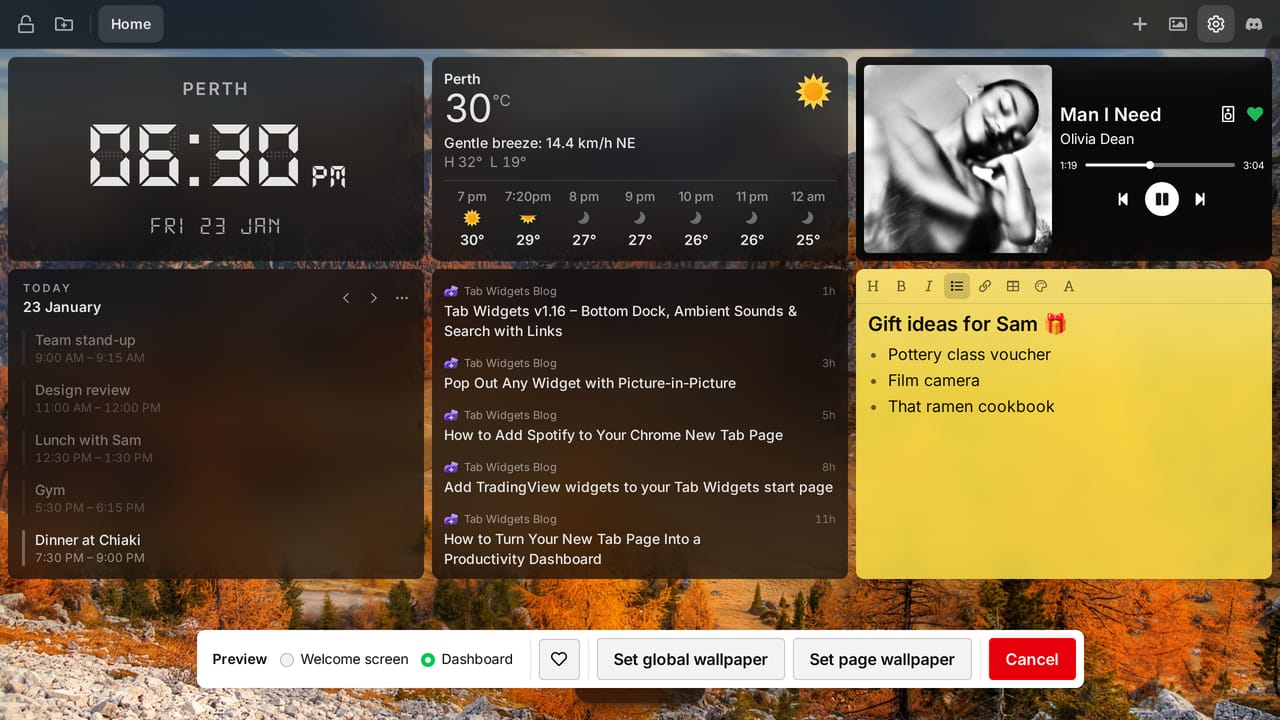
- Preview behind your dashboard: switch the wallpaper preview between the welcome screen and your own dashboard, to see how a wallpaper looks behind your widgets and dock before you set it.
Everyone can save up to 10 favourites. Pro raises that to 100 and syncs them across your devices.
A fresh look for your widgets
v2 restyles most of the widgets you use every day, so your dashboard feels calmer and more consistent from corner to corner.
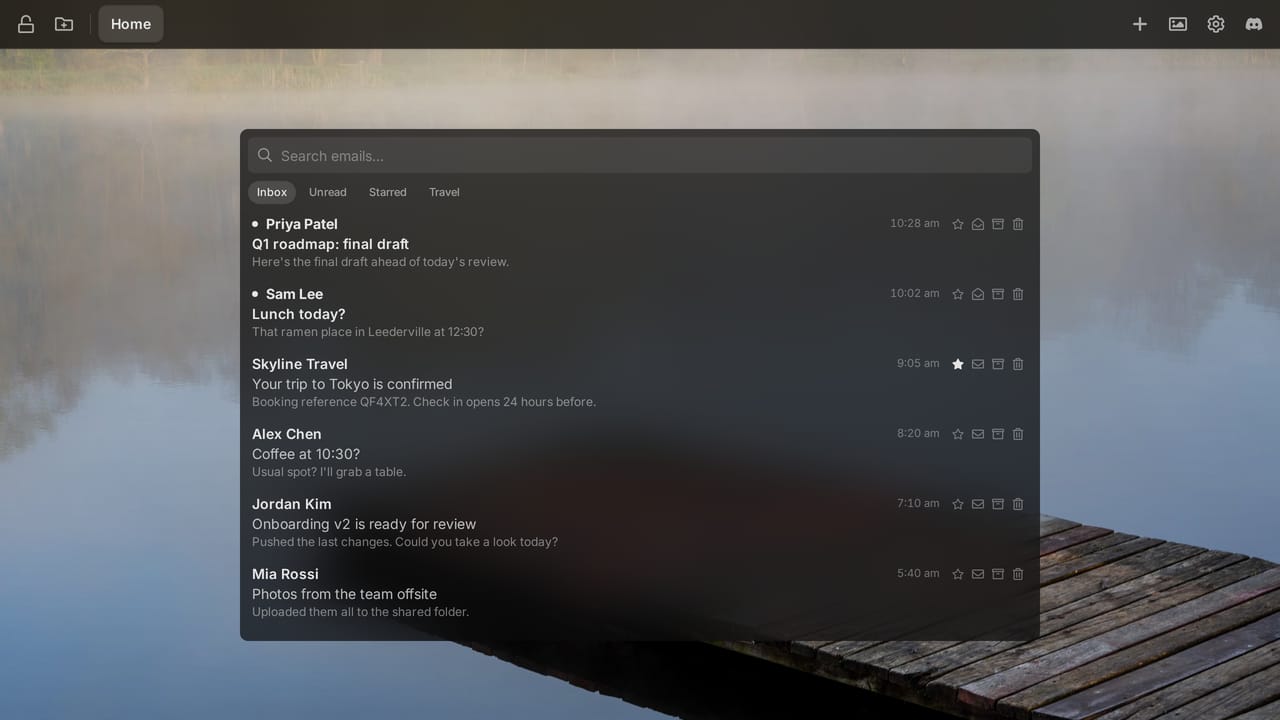
- One lighter design: Reminders, Search, Gmail, Calendar, RSS, Link Group, Google Drive and Ambient Sounds now share the same look, with rounded rows that highlight as you hover, inset search fields, and quieter labels and times. Your custom widget colours now apply to the Gmail, RSS and Link Group lists too.
- Made to fit: Weather lays itself out by the widget's shape, from just the current weather in a small widget to a forecast list in a tall, narrow one, and Word of the Day fits small widgets instead of scrolling.
- Quotes and Word of the Day have an editorial look, with serif type and small-caps labels.
- Sticky notes get a paper sheen, a toolbar in the note's own colour and neater checklists.
- Fuel Watch shows each station's logo, with today's price and tomorrow's, marked up, down or the same.
- The dock now has the same frosted glass as the top bar.
More improvements
- Calendar: a new look that lists the day's events in order and starts at your next one, and you can now edit and delete events from the widget, including one or all occurrences of a recurring event.
- Gmail actions: mark emails read or unread, star, archive and trash them from the Gmail widget, with undo, and switch between views with tabs you can customise.
- Flip Clock: a new retro clock whose split-flap cards flip over as the time changes, with a choice of fonts.
- Analog Clock and Digital Clock are now separate widgets with fresh designs. The analog clock has light and dark faces and an optional sweeping second hand, and the digital clock has LCD-style unlit segments.
- Timer: a new look, with a progress ring, quick presets and the time it'll finish.
- New users get an interactive tour of the dashboard after setup.
Get Tab Widgets
Pets, favourite wallpapers and Flip Clock are available to all users, with Pro extras for Pets and favourites. Pro adds the Google widgets, unlimited widgets, pages and dock spaces, cloud sync, and advanced customization.